Results for {phrase} ({results_count} of {results_count_total})
Displaying {results_count} results of {results_count_total}

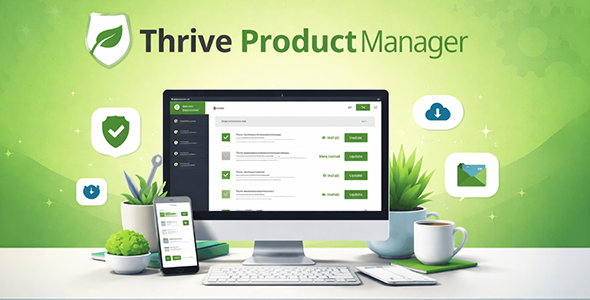
Thrive Product Manager is a WordPress plugin developed by Thrive Themes that works as the central control panel for the entire Thrive suite. It allows you to install, activate, and update all Thrive products from a single screen inside WordPress, eliminating the need to manage each tool separately. Its main benefit for any project using Thrive Themes is that it streamlines setup, keeps everything updated, and connects each installation directly to the user’s license.
Thrive Product Manager belongs to the category of WordPress management tools specifically designed for the Thrive Themes ecosystem. It integrates directly with Thrive’s licensing infrastructure to provide a unified dashboard from which every product tied to a given account can be installed and kept up to date, without leaving the WordPress backend.
In real-world projects, Thrive Product Manager is used from the very first moment a new WordPress site is set up with Thrive Themes. Instead of downloading separate zip files, uploading them one by one through WordPress, and navigating across multiple plugin screens, everything is handled from a single interface. It is not an optional add-on — it is the required foundation upon which every Thrive Themes installation is built, and it comes included with every Thrive Suite membership and individual product purchase at no extra cost.
Thrive Product Manager solves a very specific and common problem: managing a growing stack of Thrive plugins and themes across one or multiple WordPress sites without losing control over versions, licenses, or update status.
On marketing websites, it is used to quickly deploy the full Thrive suite — page builder, lead generation tools, quiz builder, course platform — in a single installation flow. On agency projects, it dramatically accelerates site setup for multiple clients by replicating the same Thrive environment in minutes. On membership and course sites, Thrive Product Manager ensures that every component of the Thrive ecosystem is properly installed, licensed, and current before content is published. On any WordPress site using Thrive Themes, it acts as the day-to-day management layer that keeps the full tool stack healthy and updated.
Thrive Product Manager is not an optional convenience tool — it is the essential infrastructure layer that makes the entire Thrive Themes ecosystem manageable, consistent, and scalable. For any WordPress project built on Thrive Suite, it is the first plugin to install and the one that holds everything else together. It simplifies setup, eliminates update friction, and ensures that every Thrive product on a site remains licensed, current, and properly integrated, from the first deployment through the full lifecycle of the project.
Thrive Product Manager is the official plugin through which all Thrive Themes products are installed, activated, and updated on a WordPress site. Once connected to a Thrive Themes account, it displays every product included in the user’s license and allows all of them to be installed simultaneously with a single click, without downloading or uploading files manually.
Yes. Thrive Product Manager is included at no additional cost with every Thrive Themes purchase and with all Thrive Suite memberships. It is the required starting point for using any Thrive product on a WordPress site.
Yes. Thrive Product Manager is the gateway through which Thrive Themes products are installed and validated. Without it, individual Thrive plugins cannot be properly authenticated or kept updated through the standard Thrive update system.
Yes, within the limits of the user’s Thrive Themes license. Thrive Product Manager can be installed on any WordPress site covered by the active license, and it displays the number of active installations connected to the account directly within its dashboard.
No. Thrive Product Manager is designed to operate exclusively within the WordPress admin area. It loads no resources on the front end of the site and has no measurable impact on public-facing page load times or performance metrics.
Yes. Thrive Product Manager supports WordPress multisite networks. It can be installed at the network level and configured individually for each subsite, giving network administrators the ability to deploy and manage Thrive products across multiple sites from a single environment.
Thrive Product Manager surfaces renewal reminders within its dashboard as a license approaches expiry. If a license expires, the connection between the plugin and the Thrive account is interrupted, and access to updates, new features, and support will be paused until the license is renewed.
Thrive Product Manager monitors all installed Thrive products and clearly displays when updates are available. Updates can be applied directly from the dashboard. While the plugin makes updates highly visible and easy to apply, the user retains control over when each update is executed
If you want to know more about the GNU / GPL license, click here. For contact us, visit our support page or click here.
We do not offer any additional services of the author, such as customization of products or license keys. We are not affiliated with or related in any way to third-party developers or trademark owners.