Results for {phrase} ({results_count} of {results_count_total})
Displaying {results_count} results of {results_count_total}

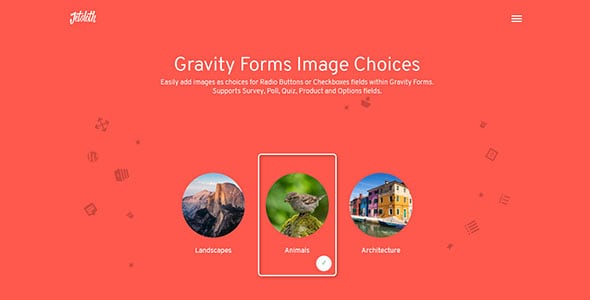
With Gravity Forms Image Choices. easily add images as choices for Radio Buttons or Checkboxes fields within Gravity Forms.
Supports Survey, Poll, Quiz, Product and Options fields.
With Gravity Forms Image Choices you get familiar WordPress UI and browsing of the media library to select and insert your image. And it’s kept separate from your label text.
Polls, surveys & quiz fields
Gravity Forms Image Choices works with the Poll field, Survey field and Quiz field when set to Radio Buttons or Checkboxes. Easily present options like voting on images or artwork.
Built as a super lightweight add-on to Gravity forms, Gravity Forms Image Choices, means you don’t need to install heavy plugins to get the job done.Image Choices for Gravity Forms extends gravity forms to easily let you add image options to radio buttons, checkboxes and much much more.
Easily apply custom styles to your image choices using available custom classes.
Gravity Forms Image Choices works with both the Product field the Options field when set to Radio Buttons or Checkboxes. Showing your product or options with images of the items rather than just text and price would surely make a better sell. And with Gravity Forms Image Choices it couldn’t be easier!
Easy Custom styles
While Gravity Forms Image Choices comes with some basic default styling, it’s easy to apply your own styles and give the fields a totally different look See our support article for more details and examples.
Get Now Gravity Forms Image Choices.
If you want to know more about the GNU / GPL license, click here. For contact us, visit our support page or click here.
We do not offer any additional services of the author, such as customization of products or license keys. We are not affiliated with or related in any way to third-party developers or trademark owners.