Results for {phrase} ({results_count} of {results_count_total})
Displaying {results_count} results of {results_count_total}

Original price was: $59.00.$3.99Current price is: $3.99.
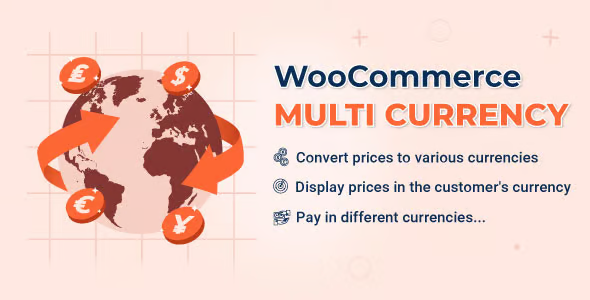
WooCommerce Multi Currency is a plugin designed for online stores selling across international borders that need to display product prices in multiple currencies accurately. It addresses a specific conversion obstacle: when prospective buyers encounter prices in an unfamiliar currency, trust decreases, and purchasing friction increases. It provides clear multi-currency pricing, seamless currency switching, and reduced checkout abandonments for international WooCommerce stores.
When a WooCommerce store begins attracting traffic from multiple countries, single-currency pricing becomes a primary conversion bottleneck. While product catalogs are configured in a single base currency, international buyers think and compare in their local currencies. Unclear exchange calculations often result in abandoned carts, customer support inquiries about final charges, and lack of buyer confidence.
WooCommerce Multi Currency resolves this by displaying prices and cart totals adapted to the buyer’s regional context. It eliminates manual currency math, bridging the gap between product discovery and checkout completion.
This issue is amplified when running localized ad campaigns or targeted international marketing. Bringing qualified global traffic to a single-currency store weakens campaign ROI at the moment of purchase. WooCommerce Multi Currency provides the necessary multi-currency infrastructure to convert international visitors effectively.
Automatic & Manual Currency Switching: Allows visitors to select their preferred currency via switcher widgets or auto-detects currency based on visitor IP/location.
Flexible Exchange Rate Management: Updates conversion rates automatically via real-time API integrations or allows custom manual rate overrides.
Custom Price Formatting & Rounding: Enables custom price rules, charm pricing (e.g., ending in .99), and custom currency symbols per region.
Checkout Currency Processing: Permits customers to complete payments in their selected currency or converts back to the store base currency at final payment gateway processing.
Centralized Price Rules: Applies conversion rules globally across products, variations, shipping rates, and coupon discounts without duplicating product catalog entries.
You receive inquiries from international visitors asking for price conversions or exact charges in their local currency.
Analytics reveal high cart abandonment rates among visitors originating from specific international regions.
You experience errors or price discrepancies when manually attempting to set or adjust rates for different regional markets.
Your store has expanded from a local operation into international shipping or global digital downloads, making single-currency pricing insufficient.
WooCommerce Multi Currency delivers clear value once a store expands beyond a single domestic market. If you ship internationally, accept global payments, manage regional ad campaigns, or sell digital goods to a global audience, presenting local pricing reduces purchase friction and increases conversion rates.
Conversely, this plugin is unnecessary for purely local businesses selling within a single country using one currency. Introducing multiple currencies in a domestic store adds unnecessary administrative overhead without providing operational value.
Cross-Border WooCommerce Merchants: Store owners shipping products internationally who need localized pricing to boost global conversion rates.
Digital Product & Membership Platforms: Platforms selling courses, downloadable assets, or recurring memberships to an international audience requiring consistent regional pricing.
Agencies and E-Commerce Consultants: Implementers building international e-commerce solutions that require stable, automated multi-currency logic without custom code.
Real Operational Improvement: Centralizes multi-currency logic in one location, avoiding duplicate product creation or fragmented price adjustments.
Clear Buyer Experience: Displays prices, cart totals, and checkout figures in the buyer’s local currency, eliminating external conversion steps.
Enhanced International Control: Provides precise management over exchange rates, custom price rounding, and regional currency displays.
Administrative Time Savings: Automates currency conversions and rate updates across thousands of SKUs simultaneously.
Error Reduction: Minimizes discrepancies between advertised prices and final checkout charges, reducing customer disputes and complaints.
Within the WordPress ecosystem, WooCommerce Multi Currency operates as a specialized pricing layer directly on top of core WooCommerce tables. It does not alter your underlying inventory, tax rates, or shipping zones; instead, it intercepts price rendering functions across single product views, shop archives, cart items, and checkout totals.
Your core product catalog remains stored in your base store currency, while the plugin dynamically calculates and displays equivalent values based on your active multi-currency rules.
[ Visitor Accesses Store ]
            │
            ▼
[ GeoIP / Switcher Detects Currency ]
            │
            ▼
[ WooCommerce Multi Currency Layer ] ──(Applies Rates & Rounding)──► [ Displays Localized Price ]
Global Physical E-Commerce: Displaying localized prices (e.g., USD, EUR, GBP, AUD) for physical goods shipped from a central warehouse to international destinations.
Regional Digital Course Platforms: Offering digital training programs to audiences across Latin America, North America, and Europe with fixed, rounded regional prices.
Location-Targeted Ad Campaigns: Directing international ad traffic to land on localized shop pages displaying matching regional currencies.
No. Payment gateways handle final transaction processing, but WooCommerce Multi Currency handles pre-purchase price presentation throughout your shop catalog, cart, and checkout pages before the payment step occurs.
You continue creating and updating products in your core WooCommerce base currency. The plugin automatically calculates equivalent prices for other enabled currencies, eliminating the need to update prices manually per currency for every product.
Yes. You can either rely on dynamic exchange rates or set manual, fixed prices per currency for specific products or variations (e.g., $19.99 USD / €19.99 EUR).
No. Multi-currency plugins use lightweight mathematical conversion routines and caching mechanisms to ensure localized prices render quickly without straining server resources or database queries.
WooCommerce Multi Currency resolves a fundamental international e-commerce obstacle: currency-induced purchase friction. By converting prices dynamically, providing clear checkout totals, and centralizing multi-currency management within WooCommerce, it builds buyer trust and improves international conversion rates.
If you want to know more about the GNU / GPL license, click here. For contact us, visit our support page or click here.
We do not offer any additional services of the author, such as customization of products or license keys. We are not affiliated with or related in any way to third-party developers or trademark owners.