Results for {phrase} ({results_count} of {results_count_total})
Displaying {results_count} results of {results_count_total}

Original price was: $59.00.$3.99Current price is: $3.99.
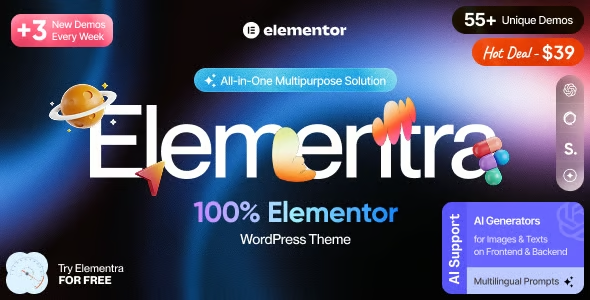
Elementra is a lightweight WordPress theme engineered to work seamlessly with the Elementor page builder. It resolves layout conflicts, styling overlaps, and template glitches that frequently occur when combining Elementor with multi-purpose or bloated themes. Built for digital marketers, agencies, and store managers, it provides a clean, predictable structural foundation for high-converting landing pages, service sites, and dynamic content without requiring custom CSS hacks or child-theme overrides.
Using Elementor alongside generic or feature-heavy themes often introduces structural friction. Many multi-purpose themes enforce competing global styles, inject redundant layout options, or use rigid header/footer templates that interfere with Elementor’s visual canvas. This creates discrepancies where pages appear correctly inside the Elementor editor but render with broken margins, misaligned headers, or mismatched typography on the live site.
Fixing these layout breaks requires writing custom CSS, tweaking child templates, or managing overlapping Customizer panels. Elementra eliminates this overhead by offering a bare-metal, Elementor-optimized architecture. It yields total layout control to Elementor, ensuring that canvas settings, global design variables, and responsive breakpoints render accurately between the backend editor and the live site.
Elementor Canvas & Full-Width Optimization: Built-in template controls that provide true full-width, zero-margin canvas layouts out of the box.
Header & Footer Builder Compatibility: Integrates natively with Elementor Pro’s Theme Builder, allowing custom headers, footers, and archive layouts to override theme defaults seamlessly.
Clean & Lightweight Codebase: Free of bloated shortcodes, unneeded page builders, or heavy JavaScript frameworks, maximizing origin server performance.
Global Typography & Color Alignment: Inherits Elementor’s native global site settings without applying competing theme CSS rules.
Seamless WooCommerce Support: Provides lightweight shop templates that allow Elementor WooCommerce widgets to style product archives and single product pages without layout interference.
Your live page layouts differ from what you see inside the Elementor editor (e.g., unexpected margins, broken container widths, misaligned headers).
You spend excessive time writing custom CSS overrides or setting !important tags to fix font and color conflicts introduced by your current theme.
Your current theme includes native page builders, legacy shortcodes, or redundant options panels that duplicate Elementor settings.
You manage multiple landing pages, funnels, or client sites and need a standardized, conflict-free base theme to accelerate production.
Elementra delivers high value when Elementor serves as the primary visual engine for your website. It is ideal for conversion funnels, agency client builds, online academies, service platforms, and custom WooCommerce stores where design flexibility and low maintenance overhead are essential.
Conversely, it is unnecessary for sites built exclusively with the native WordPress Block Editor (Gutenberg) or custom-coded PHP child themes where Elementor is not installed. If you do not rely on Elementor to build your pages, adding an Elementor-tailored theme provides no operational benefit.
Performance & Funnel Marketers: Growth teams building lead capture pages, sales funnels, and marketing campaigns in Elementor who need exact design fidelity.
Digital Agencies & Freelancers: Implementers seeking a lightweight, conflict-free starter theme for client sites to streamline ongoing maintenance.
E-Commerce & Service Business Owners: Site managers leveraging Elementor Pro Theme Builder to control site-wide design without editing theme template files.
Real Operational Efficiency: Reduces post-launch review cycles by eliminating style conflicts between the theme base and the Elementor editor.
Accurate Visual Editing: Ensures what you design inside the Elementor editor matches the live site layout pixel-for-pixel.
Clean Architectural Separation: Separates core site settings (theme) from visual presentation (Elementor), making maintenance straightforward for non-technical team members.
Production Time Savings: Eliminates repetitive CSS fixes for margins, header alignment, and responsive container widths across new pages.
Minimized Technical Debt: Avoids vendor lock-in and layout breaks caused by bloated theme frameworks during major WordPress or Elementor updates.
Within the WordPress ecosystem, Elementra serves as a lightweight structural canvas. While WordPress manages database operations and Elementor drives visual page assembly, Elementra sits in between—supplying clean HTML wrappers, responsive grid containers, and un-styled template hooks.
In daily workflows, administrators configure global typography, colors, and layout templates within Elementor. Elementra renders those configurations cleanly on the front end without introducing competing stylesheets, script files, or layout overrides.
[ WordPress Core Data ]
          │
          ▼
 [ Elementra Base Canvas ] ──(Zero Style Conflicts)──► [ Elementor Theme Builder & Pages ]
                                                                   │
                                                                   ▼
                                                       [ Live Front-End Output ]
Agency Client Deployments: Serving as a conflict-free starter theme across agency client projects to standardize development and client maintenance workflows.
Marketing Landing Page Hubs: Assembling multi-page sales funnels, webinar registration pages, and campaign landers using Elementor templates.
Custom WooCommerce Stores: Building custom single-product layouts, cart views, and shop archives using Elementor Pro widgets on an un-styled theme base.
Standard multi-purpose themes include built-in style controls, shortcodes, and pre-designed templates that frequently compete with Elementor’s CSS. Elementra is engineered specifically as a lightweight foundation that yields visual layout control completely to Elementor, preventing style overrides and layout breaks.
Yes. Elementra includes native template hooks that allow Elementor Pro Theme Builder to replace default headers, footers, single-post templates, and category archives smoothly.
Because Elementra contains minimal CSS and executes no heavy background JavaScript, it adds negligible overhead to page execution, allowing Elementor pages to render quickly.
Yes. Because visual styling is controlled inside Elementor rather than split across hidden theme settings and Customizer menus, non-technical team members can edit content and layouts directly within the visual builder without breaking global styles.
Yes. It provides un-styled, clean WooCommerce templates that allow Elementor’s native WooCommerce widgets to style shop pages, product layouts, and checkout flows without theme-level styling conflicts.
Elementra addresses a fundamental operational challenge in WordPress development: the friction between page builders and generic themes. By providing an un-styled, lightweight foundation optimized for Elementor, it eliminates style conflicts, ensures layout fidelity between the editor and live site, and delivers a stable platform for scaling visual WordPress projects.
If you want to know more about the GNU / GPL license, click here. For contact us, visit our support page or click here.
We do not offer any additional services of the author, such as customization of products or license keys. We are not affiliated with or related in any way to third-party developers or trademark owners.